
Zapier for Small Business: Your Secret Weapon for Unstoppable Growth

Imagine a world where your essential business apps talk to each other seamlessly, automating repetitive tasks and freeing up your valuable time for strategic thinking and customer engagement. For many small business owners and entrepreneurs, this sounds like a distant dream, bogged down by manual data entry, context switching, and the sheer volume of daily operations. But what if that dream was readily achievable, accessible, and incredibly cost-effective? Enter Zapier, a powerful automation platform that is revolutionizing how small businesses operate. By connecting the tools you already use, Zapier can transform your workflow, boost productivity, and drive significant growth without requiring a dedicated IT department or complex coding skills. This isn’t just about convenience; it’s about leveraging smart technology to compete and thrive in today’s fast-paced market. Let’s dive into how Zapier for small business can become your most valuable operational asset.
Key Takeaways
- Automate repetitive tasks like data entry and follow-ups by connecting your essential business apps with Zapier.
- Boost team productivity and efficiency by freeing up valuable time for strategic initiatives and customer engagement.
- Reduce manual errors and ensure data accuracy by enabling seamless, automated information flow between your software.
- Enhance customer experience through faster responses and personalized communication, driven by automated workflows.
- Leverage Zapier's no-code interface to build powerful automations without needing technical expertise or a dedicated IT team.
What is Zapier and How Does it Work?
At its core, Zapier is an online automation tool that connects your favorite apps, services, and software. Think of it as a digital messenger that facilitates communication and action between different platforms, eliminating the need for manual intervention. It operates on a simple yet powerful concept: “Zaps.” A Zap is an automated workflow between two or more apps. You set up a trigger in one app, and then an action occurs in another app in response.
The Trigger and Action Mechanism
A Zap consists of a trigger and one or more actions. The trigger is an event that starts the Zap. For example, a new email arriving in your Gmail inbox could be a trigger. The action is what happens automatically once the trigger is activated. Following the Gmail example, the action could be to create a new row in a Google Sheet with the sender’s details. Other common triggers include a new form submission, a new contact added to your CRM, or a new file uploaded to cloud storage. Actions can include sending an email, creating a task in a project management tool, adding a contact to a mailing list, or updating a spreadsheet.
Connecting Your Entire App Ecosystem
Zapier supports thousands of popular applications, from productivity staples like Google Workspace and Microsoft 365 to specialized tools for marketing, sales, customer service, finance, and project management. This extensive integration capability means you can connect almost any part of your digital operations. Whether you need to link your e-commerce platform to your accounting software, your social media scheduler to your customer support system, or your lead generation forms to your CRM, Zapier provides the bridge. The beauty of Zapier for small business lies in its ability to create a cohesive operational ecosystem out of disparate tools, fostering seamless data flow and process automation.
No-Code Automation for Everyone
One of the most significant advantages of Zapier is its user-friendly, no-code interface. You don’t need to be a programmer or have a technical background to build sophisticated automated workflows. The platform uses a visual editor that guides you through setting up triggers and actions with simple dropdown menus and clear instructions. This accessibility makes powerful automation tools available to entrepreneurs and small teams who might not have the resources for custom development. This is a key reason why Zapier for small business has become so popular; it democratizes automation.
Why Should Small Businesses Automate with Zapier?

The benefits of implementing automation within a small business are manifold, and Zapier is an excellent tool to unlock these advantages. For entrepreneurs and small teams, time is the most precious commodity, and manual, repetitive tasks are significant drains on productivity. Automating these tasks allows your team to focus on higher-value activities that directly contribute to business growth and customer satisfaction.
Boost Productivity and Efficiency
By automating routine tasks like data entry, lead qualification follow-ups, social media posting, and report generation, Zapier frees up countless hours. Employees can dedicate more time to customer interaction, strategic planning, product development, and sales efforts. This shift in focus can lead to increased output, faster turnaround times, and a more engaged workforce. Think about how much time is spent copying information from one app to another – Zapier eliminates that entirely. This leads to a significant boost in overall business efficiency.
Reduce Errors and Improve Data Accuracy
Manual data handling is prone to human error. Typos, missed entries, and incorrect data transfer can lead to significant problems, from flawed customer records to inaccurate financial reporting. Zapier automates data transfer between applications, ensuring consistency and accuracy. Once a Zap is set up correctly, it performs the task identically every time, minimizing the risk of errors and maintaining the integrity of your business data. This reliability is a crucial aspect of Zapier for small business success.
Enhance Customer Experience
Faster response times, personalized communication, and consistent service are key to excellent customer experience. Zapier can automate many customer-facing processes. For example, new leads from your website can be automatically added to your CRM and trigger a personalized welcome email. Support tickets can be automatically routed to the right team member, ensuring faster resolution. This operational efficiency translates directly into a better experience for your customers, fostering loyalty and positive reviews.
Cost Savings and Scalability
While there’s a cost associated with Zapier’s premium plans, the return on investment is often substantial. By automating tasks previously done manually, businesses can reduce the need for additional staff hires dedicated to administrative work. Furthermore, Zapier allows businesses to scale their operations without proportionally increasing their operational overhead. As your business grows, your automated workflows can handle the increased volume of tasks efficiently, providing a cost-effective path to scalability. This makes Zapier for small business an affordable solution for growth.
Common Zapier Integration Examples for Small Businesses
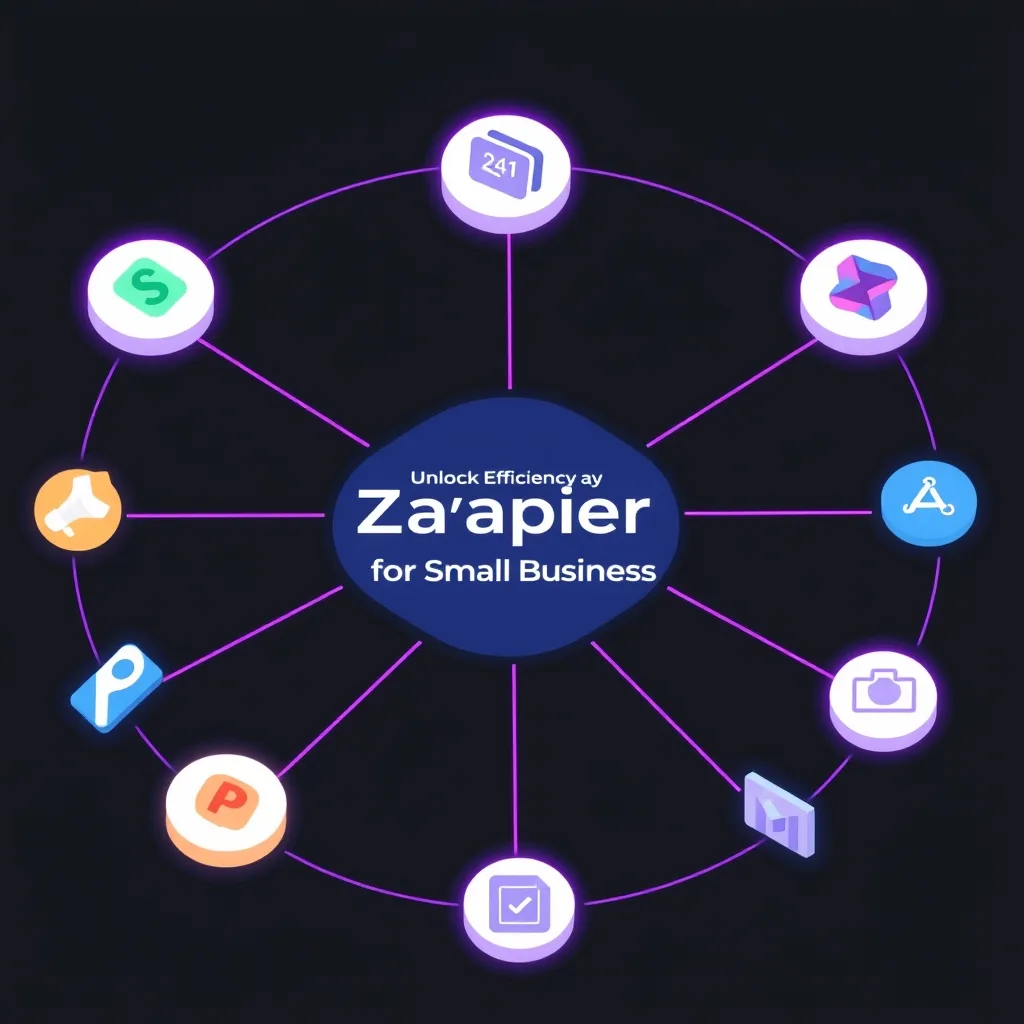
The true power of Zapier becomes apparent when you explore its countless integration possibilities. These examples showcase how businesses are leveraging automation to streamline operations across various departments. Understanding these Zapier integration examples can spark ideas for your own business.
Marketing Automation
Zapier for marketing automation is a game-changer. You can automatically add new leads from Facebook Lead Ads or Google Forms directly into your CRM (like HubSpot or Salesforce) and simultaneously add them to your email marketing list (like Mailchimp or ActiveCampaign). Another popular use case is automatically sharing new blog posts on social media platforms like Twitter, LinkedIn, and Facebook. You can also set up Zaps to send notifications to your sales team via Slack or email whenever a high-value lead fills out a form.
Sales and CRM Management
Streamline your sales process by connecting your lead capture forms (e.g., Typeform, Jotform) to your CRM. New entries can automatically create new contacts or deals. When a deal stage changes in your CRM, Zapier can trigger follow-up tasks, send internal notifications, or update project management tools. For e-commerce businesses, Zapier can sync new customer data from platforms like Shopify or WooCommerce to your CRM and email marketing tools, ensuring no lead is missed and customer data is always up-to-date.
Customer Support
Improve response times and manage customer inquiries more effectively. When a new support ticket is created in a help desk system like Zendesk or Freshdesk, Zapier can automatically create a corresponding task in a project management tool like Asana or Trello for follow-up. You can also set up Zaps to send Slack notifications to the support team for urgent tickets or to automatically add customer feedback from survey tools to a shared spreadsheet for analysis.
Operations and Administration
Internal processes can also benefit immensely. For instance, new employee onboarding can be automated: when a new hire is added to your HR system, Zapier can automatically create accounts in relevant tools (like Slack, email), add them to necessary distribution lists, and create onboarding tasks in a project management system. Financial tasks can be automated, such as logging new invoices from accounting software into a budget tracking spreadsheet or sending payment reminders. Consider automating with Make.com as another powerful option for complex workflows, offering a visual builder that rivals Zapier’s capabilities.
Getting Started with Zapier: A Step-by-Step Guide
Embarking on your automation journey with Zapier is straightforward. The platform is designed for ease of use, allowing you to build your first automated workflows quickly. Here’s a simple guide to get you started with Zapier for small business.
Step 1: Identify Repetitive Tasks
Before diving into Zapier, take stock of your daily operations. What tasks do you or your team members perform repeatedly? Look for tasks that involve copying and pasting data between applications, sending standard emails, updating records, or moving information from one platform to another. These are prime candidates for automation.
Step 2: Choose Your Apps
Identify the specific applications involved in the tasks you want to automate. For example, if you want to save email attachments to Dropbox, your apps are your email client (like Gmail) and Dropbox. Make sure both apps are supported by Zapier. You can check Zapier’s app directory for compatibility.
Step 3: Create Your First Zap
Log in to your Zapier account. Click the “Create Zap” button. You’ll be prompted to choose your trigger app and the specific event that will trigger the Zap. For instance, if you want to trigger a Zap when a new row is added to a Google Sheet, you’d select Google Sheets as the trigger app and “New Spreadsheet Row” as the trigger event. Next, you’ll choose your action app and the event to perform. Following the example, the action app might be Slack, and the event could be “Send Channel Message.” Zapier will guide you through connecting your accounts and mapping the data fields between the trigger and action.
Step 4: Test and Refine
Once you’ve set up your trigger and action, Zapier allows you to test the Zap to ensure it works as expected. Review the data that passes through and make any necessary adjustments. It’s common to refine your Zaps as you learn more or as your business needs evolve. Always test thoroughly before turning a Zap on for full production use. This iterative process is key to mastering Zapier for small business automation.
Step 5: Turn On and Monitor
Once you’re satisfied with your Zap, turn it on! Zapier will then automatically execute your workflow whenever the trigger event occurs. You can monitor your active Zaps within your Zapier dashboard to see their performance history and troubleshoot any issues. As you become more comfortable, you can build increasingly complex multi-step Zaps or explore premium features.
Is Zapier the Right Automation Tool for Your Business?
Deciding whether Zapier is the right fit involves considering your business’s specific needs, technical capabilities, and budget. For many small businesses, the answer is a resounding yes, but let’s explore the factors that contribute to this decision.
Who Benefits Most from Zapier?
Small businesses, startups, entrepreneurs, and even individual departments within larger organizations often find Zapier invaluable. Its primary beneficiaries are those who rely on multiple digital tools for their daily operations and are looking to reduce manual effort, improve efficiency, and enhance data consistency. If your team is constantly switching between apps, performing repetitive data entry, or struggling with disconnected workflows, Zapier is likely an excellent solution. The affordability and ease of use make it particularly appealing for small businesses that may not have extensive IT resources.
When Should You Consider Alternatives?
While Zapier is incredibly versatile, it might not be the perfect fit for every single scenario. Businesses with extremely complex, multi-conditional, or highly customized integration needs might find platforms like Make.com (formerly Integromat) or n8n offer more advanced visual workflow building capabilities and greater flexibility. For instance, if you need intricate logic, branching pathways, or extensive data manipulation within a single workflow, you might explore these alternatives. Additionally, very large enterprises with dedicated integration teams might opt for more robust enterprise-level integration platforms (iPaaS). However, for the vast majority of small business automation needs, Zapier remains a top contender.
Zapier Pricing and Scalability
Zapier offers a range of pricing plans, starting with a free tier that allows for basic Zaps and limited task usage. Paid plans unlock more features, multi-step Zaps, faster update times, and higher task limits, catering to growing businesses. This tiered pricing structure makes Zapier for small business accessible, allowing you to start small and scale your automation as your business grows. The ability to upgrade plans ensures that Zapier can grow with you, supporting an increasing volume of automated tasks without requiring a complete platform overhaul.
Frequently Asked Questions
What are the biggest benefits of using Zapier for a small business?
The biggest benefits include significant time savings by automating repetitive tasks, improved data accuracy by reducing manual entry errors, enhanced productivity across your team, better customer experience through faster responses and personalized communication, and cost savings by optimizing resource allocation. It allows small businesses to operate with the efficiency of larger organizations.
Can Zapier integrate with custom or niche applications?
Zapier supports thousands of popular apps. For custom or niche applications, Zapier offers a developer platform to build your own integration, or you might find that the app has a native Zapier integration that isn’t widely advertised. It’s always best to check Zapier’s app directory or contact the app developer directly for confirmation.
How much does Zapier cost for a small business?
Zapier offers a free plan with limitations on the number of Zaps and tasks per month. Paid plans start at around $20-$30 per month for starter packages, scaling up based on the number of tasks, Zaps, and features required. This tiered pricing makes it affordable to start and scale automation efforts.
What are some real-world Zapier user case studies?
Common Zapier user case studies involve automating lead capture from website forms into CRMs, syncing customer data between e-commerce platforms and email marketing tools, automatically posting social media updates, creating tasks in project management tools from emails or calendar events, and automating invoice generation or expense tracking.
Is Zapier difficult to set up for someone with no technical background?
No, Zapier is designed to be user-friendly with a no-code interface. Setting up simple Zaps is intuitive, guided by clear steps and visual cues. While more complex workflows may require a bit more learning, the platform provides extensive documentation and support to help users of all technical levels get started and succeed with automation.
In conclusion, leveraging Zapier for small business operations is no longer a luxury but a strategic necessity for staying competitive. By automating mundane tasks, you empower your team to focus on what truly matters: growing your business and delighting your customers. The platform’s accessibility, extensive integrations, and scalable pricing make it an ideal solution for businesses of all sizes looking to harness the power of automation. Don’t let manual processes hold you back any longer. Explore the possibilities, identify your automation opportunities, and get started with Zapier today to unlock a more efficient and productive future for your business.
Disclosure: This post may contain affiliate links. If you buy through these links, we may earn a commission at no additional cost to you.